Home > Timeclocks
TimePilot's Timeclock Products
|
Product |
Exterior |
Interior |
Clock-in methods |
Instant Transfer |
||
iButtons |
Numeric Codes |
iPhone |
||||
|
|
|
|
|
|||
|
|
|
|
||||
|
|
|
|
|
|||
|
|
|
|
|
|||
|
|
|
|
||||
|
*Portable, but not weatherproof. (TimePilot Extreme is our weatherproof clock.) †When attached to PC with USB cable. ‡When used in Network Mode. ◊With optional iButton Receptor. |
||||||
TimePilot has four different timeclock products: TimePilot Tap+, TimePilot Extreme, TimePilot Vetro and TimePilot PC; and an iPhone App that works in conjunction with the four systems. All four timeclock products and the App use the same TimePilot management software and can be used together. That means that you can build a single time and attendance system that handles exterior clock-ins, clock-ins via iPhones, clock-ins on the factory floor, clock-ins in an office and clock-ins at employees' desks.
The products are:
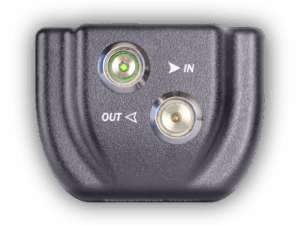
- TimePilot Tap+. Our newest product is a small, light, battery-powered timeclock that fits in a pocket or can be mounted anywhere.
Employees just tap their iButtons to the clock to clock in
and out. The unit's rechargeable battery lasts as long as a
year on a single charge. To move the clock-in and clock-out
data to the TimePilot software on your PC, just plug in the
included USB cable. An alternate way of using the product is
to keep the clock on your desk, cabled to to your computer.
By doing so, all clock-ins and clock-outs are instantly sent
to the TimePilot software. Details
...
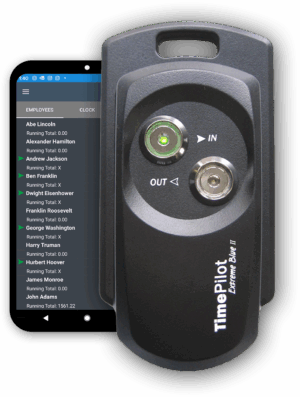
- TimePilot Extreme. Our weatherproof system is designed for outdoor use, although it can be used inside,
too. It commonly would be used at construction sites, where the clock is exposed to the elements. The clock is
locked down to prevent theft, but can be moved easily to another site when necessary.
Details ...
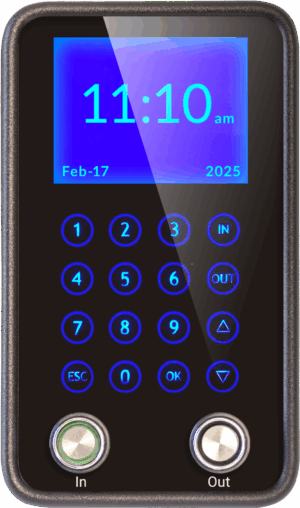
- TimePilot Vetro. TimePilot Vetro is our newest product and is designed to replace old-fashioned,
inaccurate punch clocks. This state-of-the-art, wall-mounted timeclock can be used with or
without a local area network and uses the same iButtons as other TimePilot systems. When not being used,
the clock displays the time and date on its sleek black touchscreen. The 16-key keypad illuminates when it's
touched by an employee. Details ...
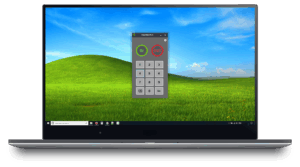
- TimePilot PC: This is our completely software-based time and attendance system. Employees click on
the image of a timeclock on their computer screens to clock in and out. There are two versions available:
a single-seat version that allows the software timeclock to be installed on one computer; and a five-seat
version that allows the timeclock to be installed on up to five computers. (Just like its big brother,
TimePilot Extreme, TimePilot PC can accommodate up to 2,000 users. TimePilot Vetro can accommodate 500.)
TimePilot PC gives a company lots of options: It could have all of its employees clock in at any of the PCs running
the software; or it could—with the purchase of additional inexpensive
licenses—have hundreds of employees clock in at the PCs on their
desks. Details ...
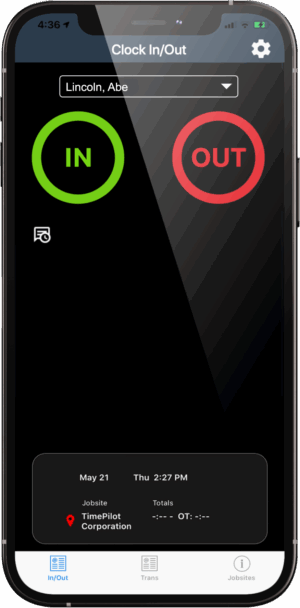
- TimePilot iPhone App. With this App, you can collect your employees' clock-ins and clock-outs on your Apple iPhone, iPad or iPod Touch. In its simplest usage, the App calculates and displays employees' work hours on your phone. But the App is designed to be used in conjunction with your existing TimePilot Extreme, TimePilot Vetro or TimePilot PC system. Just by tapping a button on your iPhone, you can send the transactions to your PC running TimePilot Central via the internet (also known as "the cloud"). Details...